Just tell the chat: how FinvestR-Agent keeps track of your FDs, loans, and insurance
Your MFs are already in the agent. The FDs, PPF, EPF, home loan, credit card, and term cover are not. The fix is one chat sentence at a time. Here is what the chat understands and what it won't do.
In this guide
- 1Start with what you have, not with a form. Open the FinvestR-Agent chat and type one sentence about anything you own or owe that is not a mutual fund. The agent reads the sentence, figures out what kind of thing it is, asks for anything missing, and remembers it. The whole exchange is two or three messages, not a 40-field form. You can do this once a week, once a month, or once a quarter. There is no minimum. There is no setup wizard. You start where you are.
- 2Say it like you'd say it to a friend. The chat understands natural sentences. You do not have to memorise field names or category labels. You do not have to use a specific format. You say what you would say to a friend who is helping you track your money, and the agent extracts the structured details from your sentence. Three or four sentences is usually enough for one item; the agent prompts for anything missing.
- 3Read back what the agent wrote. After every sentence you send, the agent confirms in plain English: what it added, in which category, with which values. The confirmation is your chance to catch a typo or a misread. If something is wrong, correct it in the next sentence: 'change the FD amount to 5L, not 50L' or 'the PPF is at SBI, not HDFC'. The agent updates the row in place rather than creating a duplicate. If you walk away from the chat and realise something was wrong later, the profile page lists every row the chat has written, and you can edit or delete any of them there.
- 4See the whole picture in the net worth view. The point of telling the chat about your FDs, PPF, loans, and insurance is to see one number for your whole wealth, not just the mutual fund slice. The agent has a free net worth view that rolls everything you have told it about into one total, with the breakdown: investments (mutual funds plus any FDs, PPF, EPF, stocks you have added), cash and bank balances, physical assets (gold, property, anything else), and liabilities (home loan, car loan, credit card, personal loan). Subtract liabilities from assets and you get your net worth.
- 5Know what the chat will NOT do. The chat is your scribe, not your advisor. It writes down what you said, in the right category, with the right details. It will not tell you whether to prepay your home loan or invest the surplus. It will not tell you which insurer to pick. It will not tell you how much term cover you should have. It will not tell you whether to take a personal loan to invest more in an SIP. All of those are judgement calls, and judgement calls belong with a SEBI-registered advisor (which the FinvestR team can connect you with if you want one), not with a chat that writes database rows.
You probably know your mutual fund portfolio number. You can see it in the AMFI statement, or in the Groww app, or in the FinvestR dashboard. The number is real, it is updated, and it is yours.
But the FD in HDFC, the PPF in SBI, the EPF in your employer's trust, the home loan on SBI Maxgain, the credit card balance on Infinia, the term plan with HDFC Life, the family floater with Star Health, the 2BHK in Whitefield, the gold in the locker, the loan to your cousin that he should really have paid back by now: most of those do not live in any single place you can pull up on your phone.
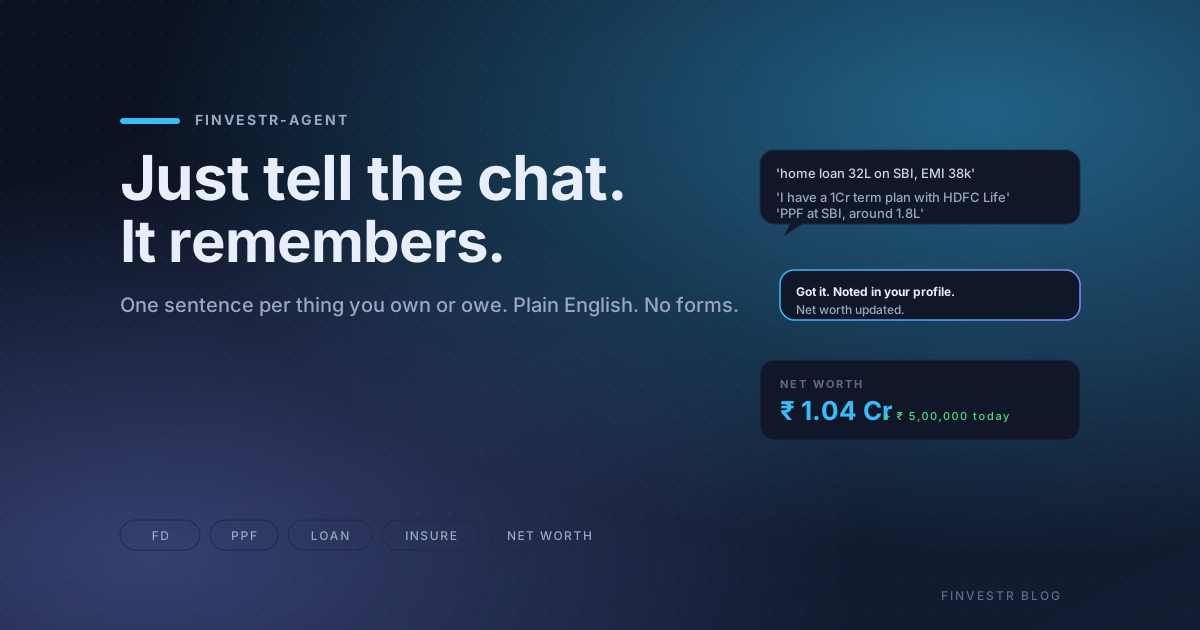
The result is that most Indian investors have a clear number for their mutual fund slice and a vague number for everything else. The FinvestR-Agent chat is the fix for the second half. You type one sentence about each thing you own or owe, in plain English, and the agent writes it down. The net worth view rolls everything into one number, broken down by category, and updates the moment a new sentence lands.
This post is what the chat understands, what it will not do, and why typing one sentence at a time beats filling any form.
Start with one sentence
The fastest way to see the value is to send one message. Open the chat and type something like:
> I have 5L in an FD at HDFC, rate 7.5%
The agent reads the sentence, figures out it is a fixed deposit, and replies in plain English:
> Got it: HDFC FD of ₹5,00,000 at 7.5%, no maturity date set yet. When does it mature?
That is the whole exchange. No form, no category dropdown, no field for the bank name, no field for the rate. The agent extracted what it could from the sentence, wrote the row, and asked only for what was missing. If you reply with 'matures in March 2027', it writes the maturity date. If you say 'I don't remember', it moves on.
The next sentence:
> PPF balance is 1.8L in SBI
> Noted: PPF account at SBI, current balance ₹1,80,000.
Then:
> home loan 32L outstanding on SBI, EMI 38k
> Got it: home loan with SBI, outstanding ₹32,00,000, EMI ₹38,000/month. What is the interest rate?
After three sentences the net worth view starts to look like a real picture. Add a fourth (term insurance, credit card, EPF, gold, whatever) and the breakdown by category starts to be useful.
Say it like you would say it to a friend
The chat is a sentence parser, not a form. It does not care about field names, category labels, or structured input. You write the way you would write to a friend who is helping you track your money, and the agent extracts the structured details from your sentence.
What that looks like in practice, for the three categories the chat understands:
The things you own. 'I have 5L in an FD at HDFC, rate 7.5%'. 'My PPF is at 1.8L in SBI'. 'EPF with Infosys, around 4.2L'. 'I have about 3L worth of gold at home'. '2BHK flat in Whitefield, conservatively worth 85L'. 'I lent 2L to Rahul last year, he hasn't paid back yet'. 'Savings account at AU Bank, balance around 1.2L'.
The things you owe. 'Home loan outstanding is 32L on SBI, EMI 38k'. 'Personal loan of 3L from Bajaj, 14% interest, EMI 9k'. 'Credit card bill of 40k this month on HDFC Infinia'. 'Car loan on the Creta, 4.5L left, EMI 12k'. 'Gold loan on 50g of gold, 1.8L outstanding'.
Insurance. 'I have a 1Cr term plan with HDFC Life, premium is 12k a year'. 'Star Health family floater for 5L, we pay 25k a year'. 'LIC endowment from when my dad was paying, 2L sum assured, 18k yearly premium'. 'Maruti car insurance, 12k a year'. 'Personal accident cover of 50L from Tata AIA'.
The agent does not need every detail in the first sentence. If you type 'home loan 32L outstanding', that is enough for the row to be written. The agent asks for the interest rate and the EMI in the next message if you have them, and moves on if you don't. Partial information is fine; the agent prompts for what's missing without making you feel like you are filling a form.
The read-back is the safety net
After every sentence you send, the agent replies with a short plain-English confirmation of what it wrote. Something like 'Got it: HDFC FD of ₹5,00,000 at 7.5%, no maturity date set'.
The confirmation is your chance to catch a typo or a misread before the row becomes part of your profile. If the agent got the amount wrong, the category wrong, or the bank wrong, you correct it in the next sentence: 'change the FD amount to 5L, not 50L', or 'the PPF is at SBI, not HDFC'. The agent updates the row in place. It does not create a duplicate, and it does not lose the original.
The read-back also catches ambiguous input before it becomes wrong data. If you type 'add 10k each month on yearly basis', the agent does not guess whether you mean a one-time asset, a monthly SIP, or a yearly contribution. It asks one clarifying question and waits for your answer. The principle: ambiguous input never silently becomes wrong data in your profile.
If you walk away from the chat and realise something was wrong later, the profile page lists every row the chat has written, with an edit and delete button next to each. You do not have to remember the exact wording to fix an entry.
The net worth view: one number for the whole picture
Once you have told the chat about a few things, the net worth view rolls them all into one total. The breakdown looks like this:
- Investments (mutual funds, plus any FDs, PPF, EPF, stocks, bonds you have added)
- Cash and bank (savings accounts, current accounts)
- Physical assets (gold, silver, anything tangible)
- Property (real estate)
- Other (loans receivable, crypto, anything that does not fit the named categories)
Subtract the liabilities on the other side (home loan, car loan, credit card, personal loan, education loan, gold loan, business loan, other) and you get your net worth.
The view updates the moment a new sentence lands in the chat. There is no 'save' button, no refresh, no sync. If you add a 50L home loan in the chat, the net worth drops by 50L in real time. If you redeem a 5L FD and the bank sends you a confirmation, type 'closed the HDFC FD today' and the FD is removed from the profile and the net worth updates.
The view also surfaces what is missing. Three flags the agent watches:
- Insurance cover is zero. If you have not added any insurance, the agent flags it. A 30-year-old earning ₹20L/year with no term cover has a single point of failure. The agent tells you the cover is zero, but does not prescribe a number. That is advice, not data.
- EMI is above 40% of take-home. The agent adds up the EMIs from your home loan, car loan, personal loan, and education loan, divides by your salary, and flags anything above 40% as a stress signal. Above 50% is a hard signal. The flag is data, not advice: you decide whether to prepay, refinance, or stop adding new EMIs.
- Liquid net worth below 6 months of essential expenses. The agent looks at your savings account, liquid fund, and short-duration debt fund balances, compares to your essential monthly expenses, and flags anything below 6 months. The flag is data, not advice. The framework for the right size is in How much should your emergency fund be?.
The flags do not tell you what to do. They tell you what the picture looks like. You decide who to call about it.
What the chat will not do
Three things the chat will refuse to do, on purpose.
Regulated advice. The chat will not tell you whether to prepay your home loan or invest the surplus. It will not tell you which insurer to pick for your term plan. It will not tell you how much term cover you should have. It will not tell you whether to take a personal loan to invest more in an SIP. All of those are judgement calls, and judgement calls belong with a SEBI-registered advisor, which the FinvestR team can connect you with if you want one. The chat's refusal is not a limitation. It is what keeps the answers safe.
Silent computation on bad input. If you type a negative amount, a 200-year age, a 45% return assumption, or a 0-month tenure, the agent flags the input instead of writing a nonsense row. The wrong number in your profile propagates into every view downstream (net worth, EMI stress, liquid cover, retirement projection), so catching bad input at the chat level is the only place it can be caught. The agent tells you what is wrong and asks you to confirm or correct.
Silent computation on ambiguous input. If your sentence could mean two or three things, the agent asks one clarifying question before writing the row. The principle is the same as bad input: ambiguous data is wrong data, and the wrong number propagates. Better to ask one question than to guess and have the user find out three months later that their '10k each month' was parsed as a one-time ₹10k asset.
The three refusals are the most under-appreciated feature of the chat. A chat that confidently answers every question is a chat that confidently produces wrong data.
The takeaway
The chat is a scribe, not an advisor. You type one sentence about each thing you own or owe that is not a mutual fund, the agent writes the row, the net worth view rolls everything into one number, and you see the picture for the first time. Most Indian investors discover, the first time they look, that their net worth is meaningfully different from the number they had in their head, usually because the home loan or the EPF corpus was missing from the mental model.
You do not need to fill a form. You do not need to memorise field names. You do not need to do it in one session. You start with one sentence, see the net worth view populate, and add another sentence next week when you remember something. The accuracy compounds over months, and the net worth view becomes the single source of truth for the question 'how much am I actually worth'.
To start, open the FinvestR-Agent and type 'I have 5L in an FD at HDFC, rate 7.5%'. The agent will tell you what it wrote. The next sentence is yours.
What to read next
- Your portfolio is alive. Your agent is too. - the agent's flagship post, on what 'alive' means for a CAS-driven mutual fund portfolio.
- How to start investing in mutual funds in India - the 10-minute flow for going from zero to your first SIP.
- How much should your emergency fund be? - the safety-sleeve sizing framework, with the chat's liquid-net-worth flag in mind.
- XIRR vs CAGR vs Absolute Returns - the 3 numbers on your mutual fund statement, which one is honest.
- Mutual Fund vs FD in 2026 - the FD vs equity MF math, with the chat's net worth view in mind.
- Best mutual funds to invest in India 2026 - the pillar shortlist across every category.
Frequently asked questions
I haven't uploaded anything. Can I still use the chat to track my money?▾
Yes. The chat works without any prior upload. The fastest way to start is to open chat and type one sentence about anything you own or owe that is not a mutual fund. The agent writes the row, prompts for anything missing, and the net worth view starts populating. You can add mutual funds later, either by uploading the AMFI statement or by typing about them in chat. There is no minimum, no setup wizard, and no form to fill.
What kinds of things can I tell the chat about?▾
Anything that is part of your wealth but is not a mutual fund. Bank accounts and FDs, recurring deposits, PPF, EPF, VPF, NSC, KVP, SSY, post office savings, physical gold and silver, real estate, crypto, money you have lent to someone. On the other side: home loans, car loans, personal loans, education loans, business loans, gold loans, credit card balances. For insurance: term plans, endowment plans, ULIPs, money-back policies, health insurance, motor insurance, personal accident cover. If the agent does not know the category, it asks you to clarify rather than guessing.
Will the chat give me advice on which loan to prepay or which insurer to pick?▾
No. The chat is your scribe, not your advisor. It writes down what you said, in the right category, with the right details. It will not tell you whether to prepay your home loan, which insurer to pick, how much term cover you should have, or whether to take a personal loan to invest in an SIP. Those are judgement calls that belong with a SEBI-registered advisor, which the FinvestR team can connect you with if you want one. The chat's refusal to answer those is the feature, not a limitation.
What if I type the wrong amount or category?▾
Two ways to fix it. The first is right there in the chat: every sentence is followed by a plain-English confirmation from the agent ('Got it: HDFC FD of ₹5,00,000 at 7.5%, no maturity date set'). If something looks off, correct it in your next sentence ('change the FD amount to 5L, not 50L' or 'the PPF is at SBI, not HDFC'). The agent updates the row in place rather than creating a duplicate. The second is on the profile page: every row the chat has written is listed there with an edit and delete button, in case the chat correction feels awkward.
What if my sentence is ambiguous? e.g. 'add 10k each month on yearly basis'.▾
The agent asks one clarifying question before writing anything. Does that mean a one-time ₹10k asset, a monthly SIP of ₹10k, or a yearly ₹10k contribution? The agent does not guess between the interpretations. This is one of the principles behind the chat: ambiguous input never silently becomes wrong data in your profile. The clarification is one question, not a form. Once you answer, the agent writes the row.
What if I type something obviously wrong, like a negative amount or an unrealistic number?▾
The agent flags the input instead of silently writing a nonsense row. Negative amounts, ages over 110, return assumptions over 30%, tenure of zero months: all are caught before the row is written. The agent tells you what is wrong (for example, 'a return of 45% over 20 years is unrealistic for a regulated Indian mutual fund; the long-run Nifty 50 return is 11-13%'), and asks you to confirm or correct. The agent will not silently compute on invalid input because the wrong number in your profile propagates into every view downstream.
Is the chat capability free?▾
Yes. Sending sentences to the chat, having the agent parse and write the rows, seeing the net worth view, and getting the flag-style alerts (zero cover, EMI stress, low liquid net worth) are all on the free plan. Paid plans add a SEBI-registered advisor, deeper analytics, and the agent's continuous monitoring of your mutual fund holdings, but the chat itself is not paywalled.
Does the agent remember what I added last week?▾
Yes. Every row the chat writes is persisted to your profile and survives across chat sessions. The next time you open chat, the agent already knows about your FDs, PPF, home loan, and insurance from previous conversations. The memory is structured: each item is a database row, not just chat-history recall, so the agent can look up the row directly when you ask about it. This is what makes the profile accurate over months and years, not just within a single conversation.
See your portfolio the way it should be seen.
Try the 1-min Goal CheckRelated reading
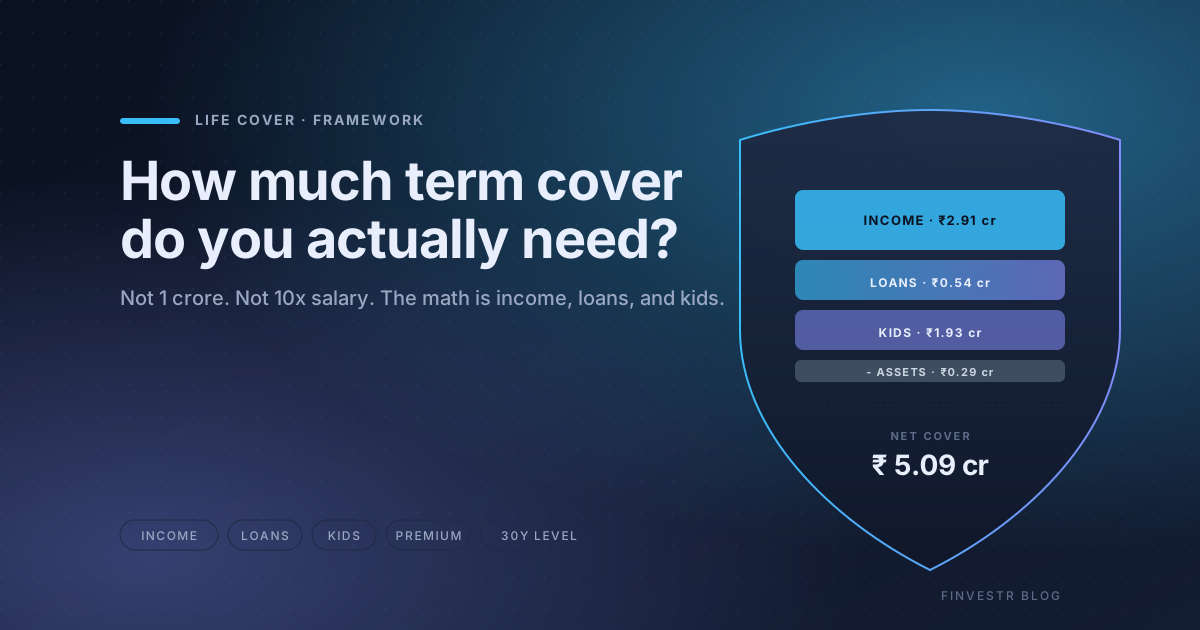
How much term insurance cover do you actually need in India?
A plain-English framework for sizing term insurance cover in India, the math behind income replacement and liability cover, the three multipliers to ignore, and how to log the policy in your net worth.
ELSS vs PPF: Which 80C option is better for you?
A plain-English comparison of the two most common 80C choices, with the lock-in, return, and risk trade-offs laid out side by side.
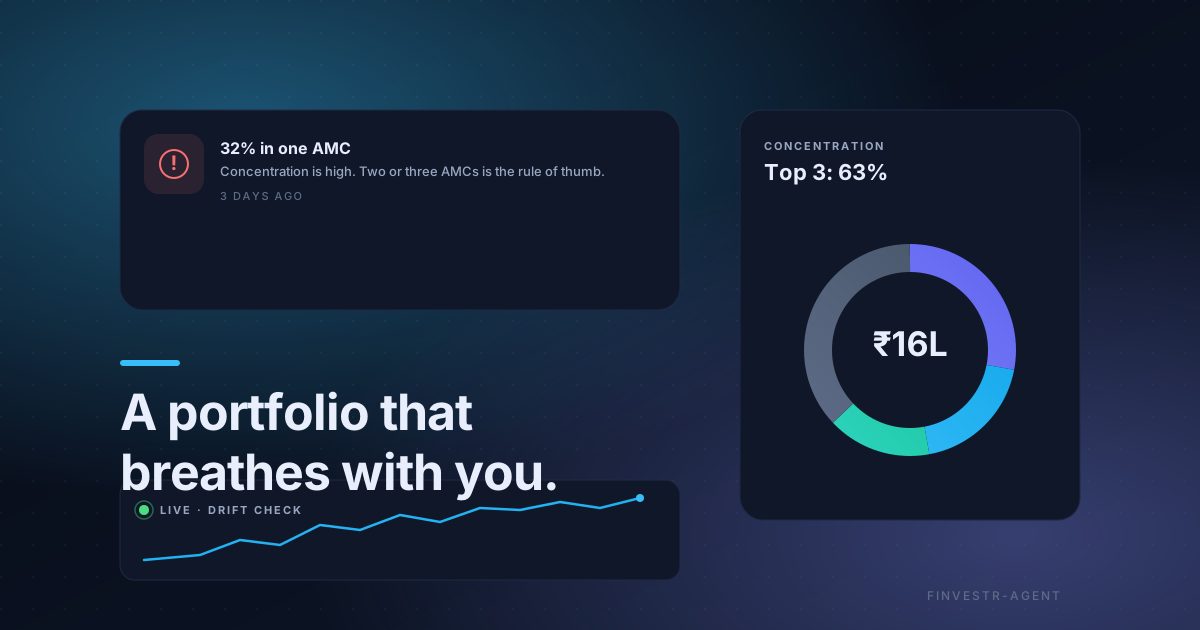
Your portfolio is alive. Your agent is too.
What 'alive' actually means for a mutual fund portfolio, the daily signals we ship, and why on-device CAS parsing matters.